Little Joe II
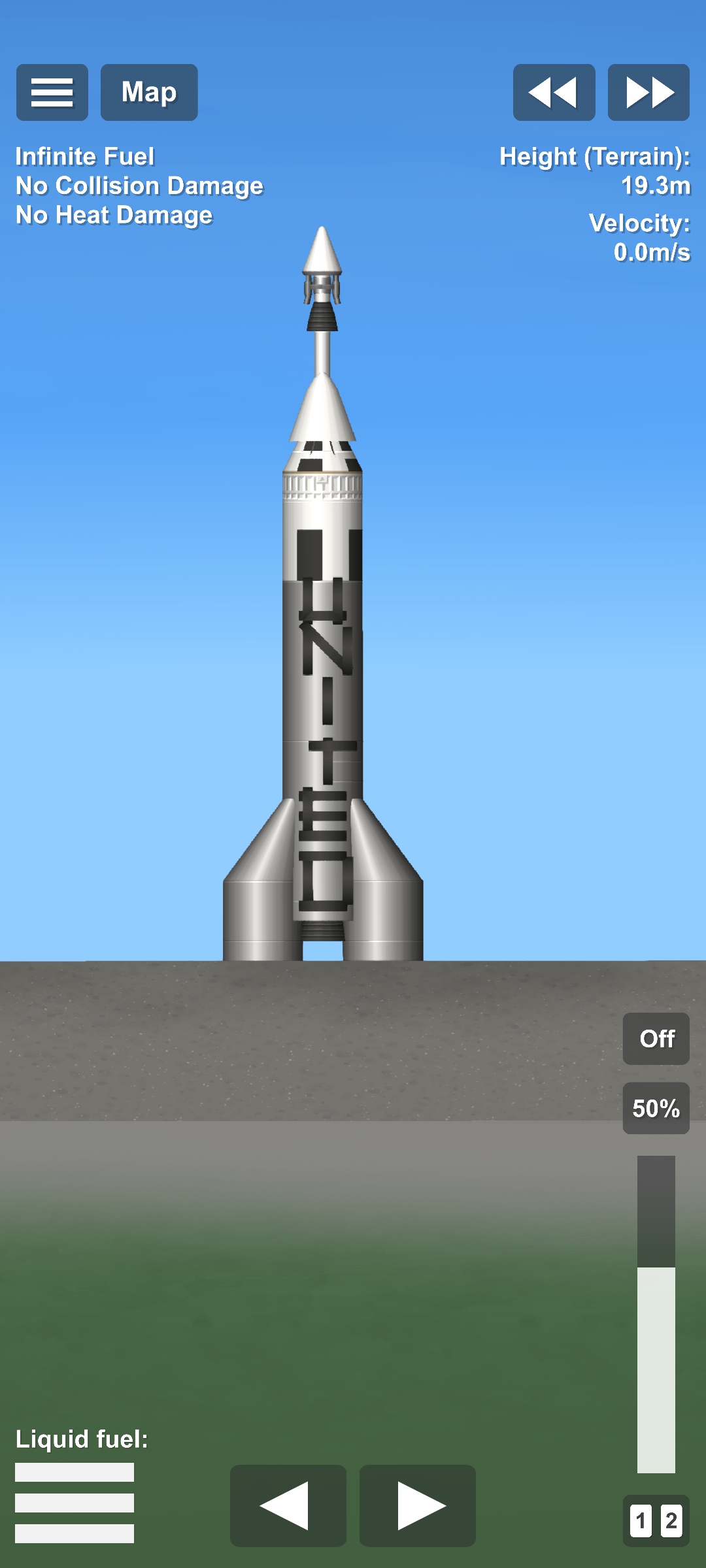
Little Joe II There wasn't enough space to put the text "states" on the little Joe rocket. Thats why it only has the text "United" How to fly it: Launch. Get into orbit. Split the fairings of LES and separate the LES. (If you wanna try out the LES, separate the capsule and ignite LES.). Get back in Earth's atmosphere when controlling the capsule. Deploy parachutes.
More like this
Rocket stats
| Mass | 420 t |
|---|---|
| Thrust | 800 t |
| Thrust-to-weight (TWR) | 1.91 |
| Parts | 49 |
| Stages | 0 |
| Engines firing at launch | 2 of 4 |
Computed from the blueprint file with the game's own build-screen rules (Normal difficulty): engines whose exhaust is blocked by another part do not count towards thrust.
Blueprint facts
| DLC required | Yes |
|---|---|
| Difficulty | Medium |
Requirements
- Requires DLC parts.
- Requires cheats enabled.
- Cheats: Infinite Build Area, Part Clipping, Infinite Fuel, No Heat Damage.
- Difficulty: medium.
How to use this SFS blueprint
Open in SFS by tapping the share link below, or Copy link and paste it inside Spaceflight Simulator → Load → Paste link. See the guide on opening SFS blueprint links.
Related
Learn more
More Rocket blueprints
- Space shuttle
- Original rocket design by Pico Space(ピコ宇宙). By community member with attribution
- Artemis II - Replica (can lag)
- Artemis ll
- Powerful lander
- STARSHIP