Mercury return rocket
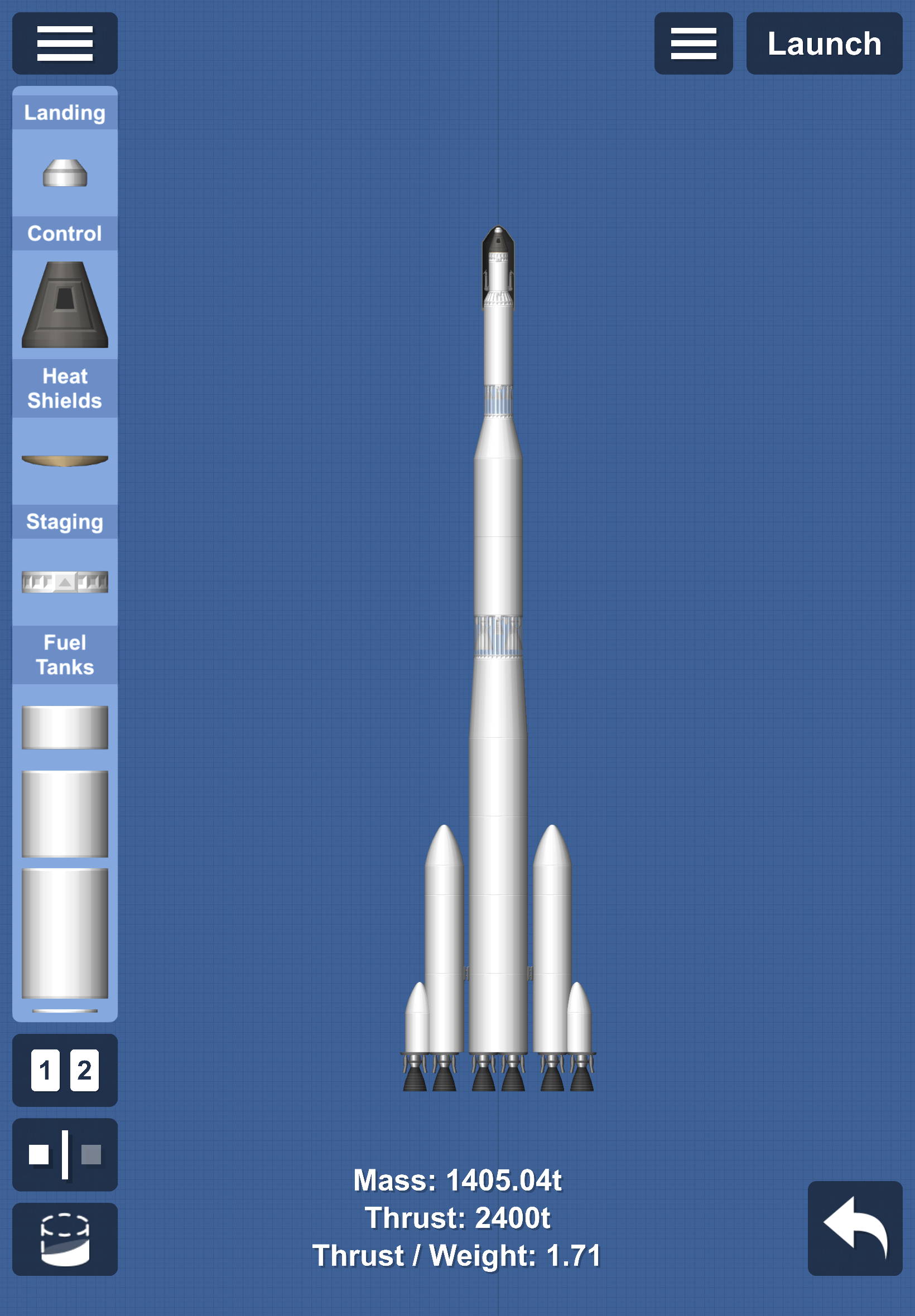
Instructions from Google 1. Launch & Initial Transfer: Get into Low Earth Orbit, then set up a transfer burn as if you are heading toward Mercury—but aim your trajectory just above Mercury's orbit. 2. Drop Your Orbit Near Venus: Once you reach the lowest point of your solar orbit (periapsis/perigee), burn retrograde to pull your orbit down just below Venus's orbit. (This dramatically cuts down the speed difference you have to fight later). 3. Transfer to Mercury: From this lower solar orbit, set up your encounter with Mercury and execute your transfer burn. 4. Capture & Land: Slow down into a low Mercury orbit, detach your lander, and touch down carefully (remember: Mercury has no atmosphere for parachutes!). 5. Return to Earth with Ions: Take off from Mercury and use your ion engines
More like this
Rocket stats
| Mass | 1,449 t |
|---|---|
| Thrust | 2,400 t |
| Thrust-to-weight (TWR) | 1.66 |
| Parts | 61 |
| Stages | 11 |
| Engines firing at launch | 6 of 24 |
Computed from the blueprint file with the game's own build-screen rules (Normal difficulty): engines whose exhaust is blocked by another part do not count towards thrust.
Blueprint facts
| Tested in SFS version | e. G. 1. 600. 22 |
|---|---|
| DLC required | Yes |
| Difficulty | Medium |
| Assembly | Ready to fly |
Requirements
- Requires DLC parts.
- Requires cheats enabled.
- Cheats: Infinite Build Area, Part Clipping.
- Difficulty: medium.
How to use this SFS blueprint
Open in SFS by tapping the share link below, or Copy link and paste it inside Spaceflight Simulator → Load → Paste link. See the guide on opening SFS blueprint links.