truck
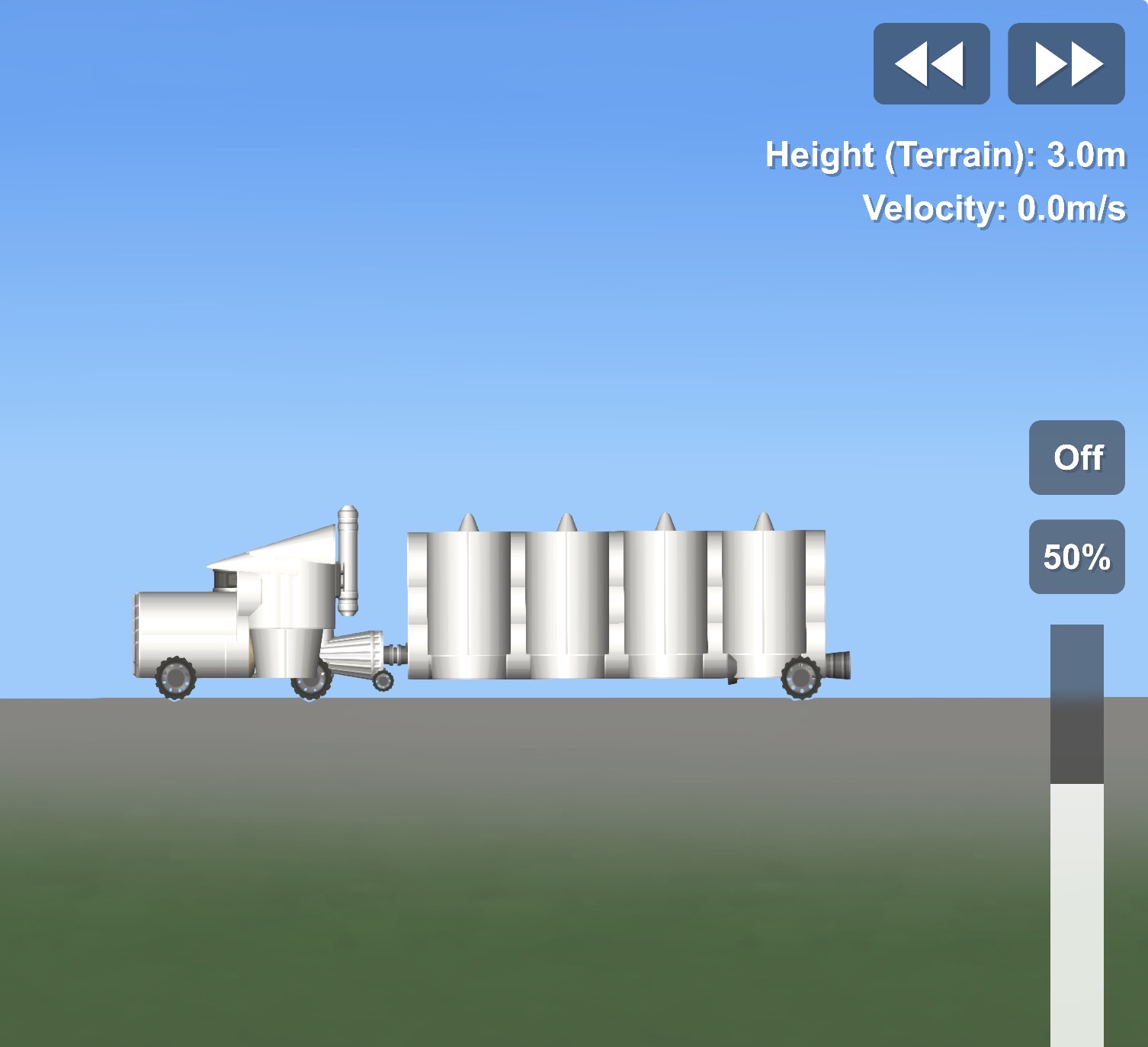
it’s a truck that I made by myself here’s the instructions 1. go to the front to move it 2. if you want to separate it click the staging button two times 3. if you want to attach it back tap the landing leg next make the truck come closer to it then tap the landing leg again and it is attached 4. if you want to launch the rockets open the staging button just in case you activate something
More like this
Blueprint facts
| DLC required | No (works without DLC) |
|---|---|
| Difficulty | Medium |
| Career mode | Sandbox only |
| Assembly | Ready to fly |
Requirements
- Sandbox mode only.
- Difficulty: medium.
How to use this SFS blueprint
Open in SFS by tapping the share link below, or Copy link and paste it inside Spaceflight Simulator → Load → Paste link. See the guide on opening SFS blueprint links.
Related
Learn more
More Truck blueprints
- Truck with 2 trailers
- SFS's ONLY working crane truck
- Airplane TUG for any of my aircraft blueprints
- Грузовая дверь - Cargo Door
- Big Transport Truck (DLC & Cheat Used)
- Cargo truck